Since 6 April 2026, sole traders and landlords with qualifying income over £50,000 have had to keep their records in a new way. Making Tax Digital for Income Tax replaces the once-a-year scramble with digital records and quarterly updates sent to HMRC from compatible software. The threshold falls to £30,000 in April 2027 and £20,000 in April 2028, so far more small businesses will be brought in over the next two years.
Most of the conversation has been about accounting software. But Making Tax Digital is really a question about all of your business systems: where your income and expense figures start life, and how they reach HMRC without being retyped along the way. This guide explains what MTD for Income Tax asks for, what it means for the software you already use, and how to set things up so that a quarterly update takes minutes rather than a weekend.
This article is about systems rather than tax advice. Your accountant or bookkeeper is the right person to confirm exactly how the rules apply to you.
Who Making Tax Digital for Income Tax applies to
MTD for Income Tax applies to people registered for Self Assessment who receive income from self-employment, property, or both. What counts is your qualifying income: the total of your self-employment and property income before expenses are taken off, not your profit. HMRC is bringing people in stages, based on earlier tax returns:
- From 6 April 2026: qualifying income over £50,000 in the 2024 to 2025 tax year.
- From 6 April 2027: qualifying income over £30,000 in the 2025 to 2026 tax year.
- From 6 April 2028: qualifying income over £20,000 in the 2026 to 2027 tax year.
HMRC writes to people it expects to qualify, but it is still your responsibility to check. GOV.UK has a tool to check if and when you need to use Making Tax Digital for Income Tax, and it can also tell you whether you might be exempt. Limited companies are not part of MTD for Income Tax, and partnerships will be brought in later, on a timetable HMRC has not yet announced.
What MTD for Income Tax asks you to do
There are three obligations:
- Keep digital records. Each item of self-employment and property income and expenditure is recorded in software, rather than in a paper book or a pile of receipts.
- Send quarterly updates. Every three months, your software sends HMRC a summary of your income and expenses. These are running totals, not tax returns, and no tax is paid with them.
- Submit your tax return through compatible software by 31 January after the end of the tax year, as you do now.
For anyone using standard tax-year periods, the quarterly deadlines are 7 August, 7 November, 7 February and 7 May. HMRC is not giving penalty points for late quarterly updates in the 2026 to 2027 tax year, although every update still has to be sent before you can file your return. From the following year, each missed deadline earns a point, and reaching four points brings a £200 penalty, as set out in HMRC’s guidance on penalties for Making Tax Digital for Income Tax.
Simpler records for smaller businesses
The Making Tax Digital rules are lighter than many people expect, especially for smaller businesses. HMRC’s guidance on creating digital records includes several concessions worth knowing about before you choose software:
- Turnover under £90,000. If a self-employment business has turnover below the VAT threshold, you can choose simpler categorisation and record each transaction only as income or an expense. Landlords with residential property under the threshold also need to mark which expenses are restricted finance costs, such as mortgage interest.
- Retailers. Shops can create a digital record of their daily gross takings instead of recording every individual sale.
- More than one business. If you are, say, an electrician and a driving instructor, each business needs its own digital records and its own quarterly updates.
- Several properties. All of your UK properties count as one property business, so you do not need separate records for each one. If you let a property jointly, you only record your share.
Simpler categorisation is optional. If your turnover reaches £90,000 during the year, every record for that business has to be fully categorised before you can send your next update, so growing businesses may find it easier to categorise in full from the start.
The rule that matters most for your systems: digital links
This is the part of Making Tax Digital that many business owners miss. If you keep records in one product, such as a spreadsheet or a job management system, and send updates from another, HMRC requires the two to be digitally linked. Once a record has been included in a quarterly update, it must not be moved by hand. The same HMRC guidance specifically rules out retyping figures or moving them with copy and paste.
Acceptable digital links include linked spreadsheet cells, importing and exporting CSV or XML files, automated data transfers and API connections. In other words, Making Tax Digital nudges businesses towards the kind of joined-up systems that save time anyway.
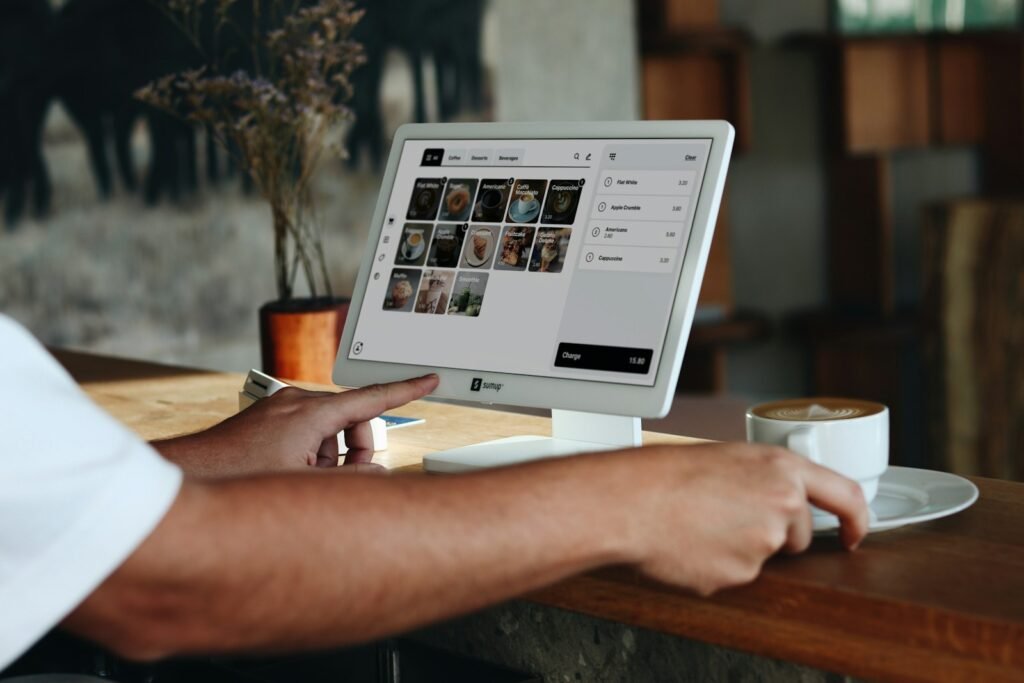
There is a useful exception. Software that does not itself create your records of income and expenses, such as a booking system or a till that records sales receipts, does not need to be digitally linked for MTD. The figures still have to reach your records somehow, though, and if that “somehow” is someone retyping them every week, this is a good moment to fix it.
Where small business figures actually live
Ask a sole trader or a small landlord where their income figures come from and the answer is rarely “my accounts software”. It is usually a mix of:
- a job management system or CRM where work is quoted and invoiced;
- a booking system or online shop;
- card payments through Stripe, SumUp or a similar provider;
- a spreadsheet that pulls everything together at the end of the month;
- a drawer, or an inbox, full of receipts for expenses.

Under the annual system, those gaps were bridged once a year, often by an accountant at considerable cost. MTD’s quarterly updates mean bridging them four times a year, and every manual step is another chance for a mistake. If that sounds familiar, our guide to the signs your business has outgrown spreadsheets is worth a read.
Three ways to get ready for Making Tax Digital
1. Move everything into one compatible accounts package
For many sole traders this is the simplest route. Mainstream packages such as Xero and QuickBooks can create digital records, send quarterly updates and submit the tax return, and HMRC’s software finder lists every product that has passed its recognition process. Bank feeds bring transactions in automatically, and receipt apps capture expenses from a photo.
Bank feeds are not the whole story, though. HMRC points out that some transactions will not appear in full in a feed, and you may need to add details such as the right category yourself. The bigger catch is that the rest of the business still runs somewhere else. If invoices are raised in your job system and then typed into your accounts, the retyping has not gone away. It has just moved.
2. Keep your spreadsheet and add bridging software
Bridging software reads figures from a spreadsheet and sends your MTD updates to HMRC. It suits people who are comfortable with spreadsheets and have straightforward affairs. The spreadsheet has to be set up carefully so that every link is digital, and it will only ever be as reliable as the person maintaining it.
3. Connect the systems you already use
If your business runs on a job management system, a CRM, a booking platform or bespoke software, the most robust option is to connect it to your accounts. When a job is invoiced, the invoice appears in Xero or QuickBooks automatically. When a client pays online, the payment is matched to the right invoice. Expenses captured on site land in the right category. Your accounts are always current, and the quarterly update becomes a quick check and a button press.
This is exactly what software and financial integrations are for, and an automated connection of this kind is one of the digital links HMRC accepts. We explain how these connections work in more detail in Connecting Xero or QuickBooks to Your Website and CRM.
A worked example: one quarter for a Hull electrician
To make this concrete, here is an illustrative example. The business is made up, but the set-up is typical of the sole traders we speak to around Hull and East Yorkshire.

Sam is a self-employed electrician. His turnover in the 2025 to 2026 tax year was £42,000, so he will need to use Making Tax Digital for Income Tax from 6 April 2027. He quotes and invoices through a job management app on his phone, takes card payments on site with a card reader, and keeps fuel and materials receipts in a folder in the van. At the moment, his partner spends an evening a month typing invoices and receipts into a spreadsheet, and their accountant tidies it all up after the year ends.
If nothing changed, that monthly evening would carry on, and the spreadsheet would still need bridging software and careful linking to meet the digital links rule. Instead, Sam chooses accounting software from HMRC’s list and connects his job app to it. Now:
- every invoice raised in the job app appears in the accounts automatically, with the right customer and category;
- card payments arrive through the bank feed and are matched to the invoices they pay;
- receipts are photographed in a receipt app when they are issued, so the folder in the van disappears;
- his accountant has read-only access and can spot problems during the year rather than after it.
His first MTD quarter runs from 6 April to 5 July 2027, and the update is due by 7 August. Because the records have built up as he worked, the update is a ten-minute review: check that nothing is uncategorised, look over the totals and send. His turnover is under £90,000, so he could use simpler categorisation, but he keeps full categories because his accountant uses them to advise him on expenses.
Get your data in order first
Whichever route you choose, the quality of your data decides how smooth the switch will be. Before your MTD start date:
- Agree categories with your accountant. Income and expense categories should match the ones your accountant uses, so nothing needs reclassifying at the end of the year.
- Remove duplicates. The same customer or supplier recorded twice across different systems leads to duplicated or missing transactions once those systems are connected.
- Choose one source of truth for each kind of information, for example invoices in the job system and payments in the accounts.
- Check your accounting period. If your year runs from 1 April to 31 March, select calendar update periods in your software before sending your first update. HMRC says this cannot be changed afterwards.
- Move old records across cleanly. If you are changing software, our data migration checklist covers how to bring your history with you without losing anything.
A realistic timeline
If you expect to join MTD for Income Tax in April 2027, because your qualifying income was over £30,000 in the 2025 to 2026 tax year, now is a sensible time to start. Allow a few weeks to choose software and agree categories with your accountant, and longer if systems need connecting. Running the new set-up alongside your old routine for a quarter means any problems surface while no deadlines are attached to them.
Connecting systems is rarely a large project. Most of the work is agreeing what should flow where, then testing it against real transactions. The same thinking is behind Ops Pilot CRM, a platform we built so that information is entered once and used everywhere, rather than retyped across a dozen disconnected tools.
MTD for Income Tax: common questions
Does my salary count towards qualifying income?
No. Only self-employment and property income count, before expenses. If you earn £40,000 from a job and £15,000 from a side business, your qualifying income is £15,000, so MTD for Income Tax would not apply to you under the current thresholds.
I run a limited company. Does this affect me?
Not for the company’s own tax, because limited companies are outside MTD for Income Tax. It only becomes relevant if you also have self-employment or property income in your own name above the threshold.
Can I keep using a spreadsheet?
Yes, as long as the spreadsheet is digitally linked to bridging software that sends your updates, and figures are never retyped or copied and pasted between the two. Many businesses find this is a sensible stepping stone rather than a long-term home.
What if I am not comfortable using software at all?
Some people can be exempt from Making Tax Digital, for example if they are digitally excluded. Exemptions are not automatic in every case, so use HMRC’s checking tool or speak to your accountant. If you are exempt, you still send a Self Assessment tax return as normal.
Do I still need an accountant?
MTD for Income Tax does not replace professional advice, and accountants can sign up and act for their clients. What changes is the work they do: less time typing up your year from scratch, and more time looking at accurate figures while there is still time to act on them.
The bottom line
Making Tax Digital for Income Tax is less about tax and more about how information moves through your business. Handled well, it leaves you with accounts that are current every day, fewer errors and far less stress at the end of the year.
If your figures are spread across several systems and you would like them to flow into your accounts automatically, tell us what you use or call us on 01482 212499. We will tell you honestly whether an off-the-shelf connector will do the job or whether a custom integration is worth it.