
A single source of truth means every important piece of customer information has one agreed home, and every other system reads from that home instead of keeping its own version. It sounds obvious, yet most small businesses end up with the opposite: the same customer saved three times across the CRM, the accounts package and a spreadsheet, each copy with a slightly different address, phone number or spelling of the name.
Duplicate customer records rarely cause one big disaster. They cause hundreds of small ones: an invoice sent to an old address, a returning customer treated like a stranger, a marketing email sent to someone who asked you to stop. This guide explains where duplicates come from, how to decide which system should own which information, how to clean up what you already have, and how to stop the mess coming back. It is the kind of work our data structure and migration service covers, but much of it you can start on yourself.
This article is about systems rather than legal advice. If you are unsure how data protection law applies to your customer records, check the ICO’s guidance or speak to an adviser.
What a single source of truth actually means
The phrase gets used loosely, so it helps to be precise. A single source of truth does not mean you must run your whole business from one piece of software. It means that for each type of information, there is one system everyone agrees is correct. Other systems may hold a copy, but the copy is updated from the source, never edited independently.
For a typical small business, that might look like this:
- Contact details (names, emails, phone numbers, addresses) live in the CRM.
- Invoices, payments and balances live in the accounts package, such as Xero or QuickBooks.
- Jobs, bookings or orders live in the job management system or online shop.
- Marketing preferences, including who has unsubscribed, live in one place that every sending tool checks.
The point is not which system wins each category. The point is that the decision has been made, written down and built into how your systems talk to each other. Without that decision, every system quietly becomes its own source of truth, and they drift apart.
How duplicate customer records creep in
Nobody sets out to create duplicate customer records. They build up through ordinary, sensible-looking habits:
- Each system keeps its own customer list. The CRM, the accounts package, the booking system and the email marketing tool all have a “customers” table, and staff add people wherever they happen to be working.
- Manual re-keying. Someone types a new customer into the CRM, then types them again into the accounts package to raise an invoice. Every retyped record is a chance for a typo.
- Inconsistent formats. “J. Smith Ltd”, “John Smith Limited” and “Smith, John” look like three different customers to a computer, as do two versions of the same postcode with and without a space.
- Website forms that always create a new contact. If your enquiry form adds a fresh record every time, a customer who gets in touch three times becomes three customers.
- Imports and old lists. Spreadsheets from trade shows, a previous system or a business you acquired get uploaded without checking who is already there.
- Shared inboxes and personal address books. Customer details that live only in one person’s email or phone never make it into the shared customer records at all.
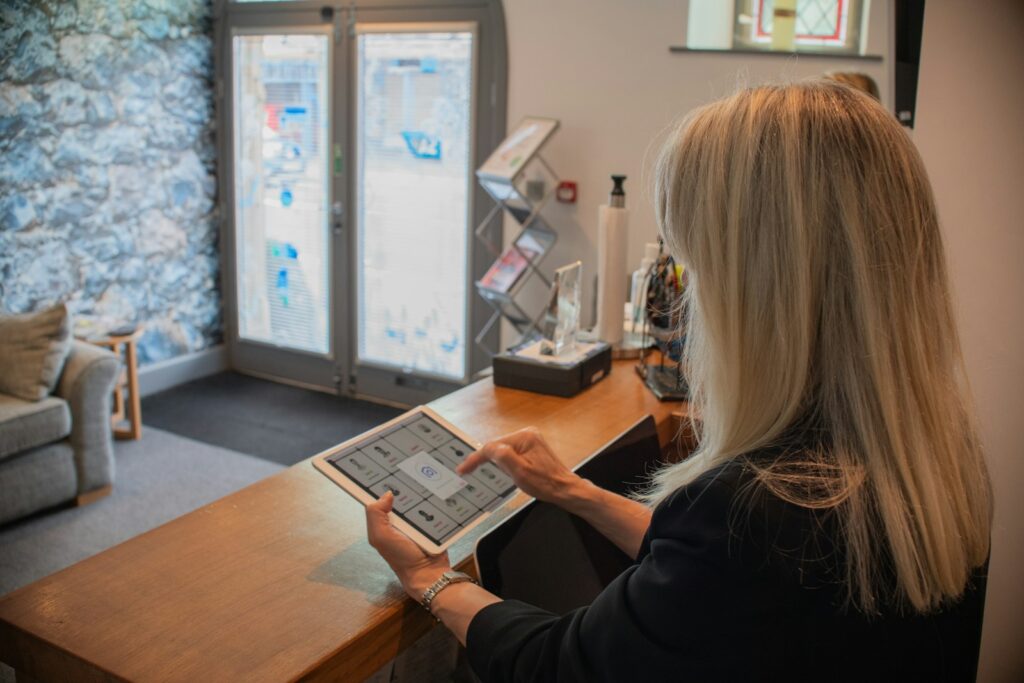
The UK government’s Data Quality Framework lists manual data entry errors, duplicated data and inconsistent formats among the problems that typically start at the point of collection. It encourages organisations to treat issues at source rather than repeatedly cleaning up afterwards, which is exactly the thinking behind a single source of truth.
What duplicates really cost a small business
Because the damage arrives in small pieces, it is easy to underestimate. Here are the costs that tend to surface when a business takes a close look at its customer data:
- Lost history. A customer’s previous jobs, complaints and preferences are split across two or three customer records, so whoever picks up the phone only sees part of the picture.
- Billing mistakes. Invoices go to an outdated address or the wrong contact, payments are matched to the wrong account, and credit control chases someone who has already paid.
- Unreliable reports. If one customer appears three times, your customer count, average order value and repeat business figures are all wrong, and so is every decision made from them.
- Wasted time. Staff spend minutes on every call or job working out which of several customer records is the right one, and those minutes add up across a year.
- Marketing to the wrong people. If someone unsubscribes in one tool but a duplicate record in another tool does not know, they may keep receiving emails they asked you to stop.
Duplicates and data protection
There is a compliance angle too. Under UK GDPR, personal data must be accurate and, where necessary, kept up to date. The ICO’s guidance on the accuracy principle says organisations should take every reasonable step to erase or correct inaccurate data without delay. That is much harder when the same person exists in four places and you only update one.
The same problem appears with the right to rectification. People can ask you to correct their details verbally or in writing, and you normally have one calendar month to respond. If you have shared the data with others, you must tell each recipient about the correction unless that is impossible or would involve disproportionate effort. A single source of truth turns this from a hunt through every system into one change that flows everywhere. The ICO is reviewing some of this guidance following the Data (Use and Access) Act 2025, so check the current version when you act on it.
Decide which system owns which customer data
This is the most important step, and it is a business decision rather than a technical one. Get the people who use each system in a room for an hour and agree, field by field, which system is the master.

Work through questions like these:
- Where is this information first captured? The system where a customer first appears is often the natural owner of their contact details.
- Who keeps it up to date? If the office team updates addresses in the CRM, the CRM should own addresses, even if the accounts package also prints them on invoices.
- Which system has to be right for legal or financial reasons? Invoices, payments and VAT details usually belong in the accounts package, because that is where your accountant and HMRC expect the authoritative figures to be.
- Which direction should data flow? For each field, decide whether it flows one way (from the owner to the others) or whether edits in a second system are allowed and pushed back.
- What is the unique identifier? Agree how two records are recognised as the same customer, such as a customer number, a company registration number or an email address.
Write the answers down in a simple one-page document. It becomes the rulebook for staff, for anyone building an integration and for any future system you buy.
An illustrative example
Here is an illustrative example. A small heating and plumbing firm uses a job management app, Xero and an email marketing tool. Customers are being added in all three, and the office estimates that one in ten new jobs starts with someone asking “is this the same Mrs Patel as last year?”.
They agree that the job app owns contact details and site addresses, because that is where engineers and the office actually update them. Xero owns invoices and balances. The email tool owns nothing: it receives contacts from the job app and sends unsubscribes back. New customers can only be created in the job app, and an integration creates or updates the matching contact in Xero and the email tool. Within a few weeks, nobody is typing customer details into Xero by hand.
Cleaning up the customer records you already have
Once ownership is agreed, you can tackle the existing duplicates in your customer data. Do this carefully: merging the wrong records is worse than leaving duplicates alone, because it can mix two people’s information together.

- Take a full backup first. Export all of your customer data, with every field, before you change anything.
- Standardise formats. Tidy postcodes, phone numbers, capitalisation and company suffixes such as “Ltd” and “Limited” so that genuine matches become visible.
- Find likely matches. Start with exact matches on email address or customer number, then look at near matches on name plus postcode. Spreadsheet formulas, the built-in duplicate tools in many CRMs, or a short script can all help.
- Review before merging. A person should check anything that is not an exact match. Two “J Smith” records at the same postcode might be a father and son.
- Choose the surviving record. Keep the record in the owning system, copy across any useful details from the duplicates, and make sure transactions and notes move with it.
- Record what you did. Keep a simple log of merges so that you can explain or reverse a change later.
Our guide to cleaning your business data before moving to a new system goes into more detail on standardising and de-duplicating, and the same techniques apply whether or not you are changing software. If the clean-up is part of a move, our data migration checklist covers the wider project.
Stop duplicates coming back
A one-off clean-up feels great, but without changes to how data enters your systems, the duplicates soon return. These measures keep customer data clean for the long term:
- One place to create customers. Remove or restrict the ability to add new customers anywhere other than the single source of truth for contact details.
- Search before you create. Train staff, and configure systems where possible, to search by email, phone or postcode before adding anyone new.
- Match incoming enquiries. Set up website forms and integrations to update an existing contact when the email address already exists, rather than always creating a new one.
- Validate at the point of entry. Required fields, drop-down lists and format checks stop many problems before they start.
- Connect systems instead of re-keying. Integrations that pass customers between systems automatically, using a shared identifier, remove the biggest source of duplicates.
Integrations need care, though. A badly designed two-way sync can create duplicates faster than any person could, for example by treating each update as a new customer. Our article on connecting Xero or QuickBooks to your website and CRM explains how these links work and what to check before switching one on.
Keeping an eye on data quality
You cannot manage what you never look at. The government’s Data Quality Framework describes six dimensions of data quality, drawn from DAMA UK: completeness, uniqueness, consistency, timeliness, validity and accuracy. Uniqueness is the one most closely tied to duplicates. The framework defines it as the degree to which there is no duplication in records, so that each person or organisation has only one record.
You do not need specialist tools to apply this. A short monthly check is enough for most small businesses:
- Run a duplicate report on email address and phone number in whichever system is your single source of truth for contacts.
- Compare customer counts between connected systems; a sudden gap usually means a sync has failed or something is being created twice.
- Spot-check a handful of recent customers across every system to see whether their details match.
- Look at records with missing essentials, such as no email or no postcode, and find out where they came from.
The framework also makes a point worth repeating: data quality is about whether data is fit for its purpose, not about perfection. Aim for customer records good enough that your team trusts them without double-checking, and focus effort on the information that drives invoices, service and marketing.
Do you need a new system to get a single source of truth?
Not usually. Many businesses already own good software; the problem is that nothing decides which system is in charge and nothing connects them. Agreeing ownership, cleaning up your customer data and adding one or two integrations often solves most of the problem without replacing anything.
A new or consolidated system makes sense when your tools genuinely overlap, when one of them cannot be connected to anything else, or when your team is juggling so many applications that nobody knows where to look. That thinking is behind Ops Pilot CRM, the platform we designed, built and run for agencies and freelancers. It brings contacts and audiences, email campaigns, projects and tasks, invoicing and branded client portals into one place, so the same client is not kept in five separate tools.
Single source of truth: common questions
Do duplicate customer records break data protection law?
Not in themselves. Duplicates become a problem when they lead to inaccurate data being used, a correction being missed or someone’s objection to marketing being ignored. The ICO expects reasonable steps to keep personal data accurate, and a clear owner for each piece of customer data makes those steps far easier to show.
Should every system sync both ways?
Usually not. Two-way syncs are harder to build and test, and they create arguments when the same field is changed in two places at once. Most small businesses are better served by one-way flows from the owning system, with two-way syncing limited to a few fields where it is genuinely needed, such as unsubscribes.
How long does a clean-up take?
It depends on the number of customer records and how messy they are. A few thousand contacts with good email addresses can often be de-duplicated in days. Older data with missing emails and inconsistent names takes longer, because more matches need a human decision.
Can we automate merging?
Exact matches on a reliable identifier, such as a customer number or email address, can usually be merged automatically once you have tested the rules. Anything fuzzier should go to a person for review, at least until you are confident the matching rules are accurate.
The bottom line
A single source of truth is less about software and more about agreement: one home for each kind of customer information, clear rules about how it flows, and systems connected so that nobody has to retype it. Get that right and duplicate customer records stop being a constant irritation, your reports become trustworthy and data protection requests become simple to handle.
If your customer data is spread across several systems and you are not sure which version to believe, tell us what you use or call us on +441482 212499. We will help you map where your data lives today and suggest the simplest way to give it one reliable home.