
Payment reconciliation is the job of proving that every payment a customer made has reached your bank, against the right invoice, with the right fees taken off. When customers paid by cheque or bank transfer, that was a matter of ticking one line on a statement against one invoice. Once you take card payments through Stripe or Direct Debits through GoCardless, it gets harder, because the money no longer arrives one payment at a time.
Instead, the provider collects your payments, takes its fees, deducts any refunds and sends you a single lump sum. Your bank statement shows £1,312.48 from Stripe, and no invoice in your accounts says £1,312.48. Multiply that by a few payouts a week and month end turns into an afternoon with spreadsheets, exports and a growing sense of doubt.
This guide explains why payouts are hard to match, how the built-in connectors for Xero and other accounts packages deal with it, and when it is worth connecting your payment provider to your accounts properly so that the matching happens on its own.
Why payment reconciliation gets harder when you take payments online
The root of the problem is that payment providers pay you in batches. Stripe groups the payments it has collected for you into payouts. According to Stripe’s documentation on payouts, the standard timing for UK accounts is three business days, a first payout typically arrives 7 to 14 days after your first live payment, and you can choose a daily, weekly, monthly or manual schedule. A payout due on a weekend or bank holiday arrives on the next business day.
GoCardless works in a similar way. It usually pays out once every working day, with one payout per currency, and when there are a lot of payments it may split them across more than one payout. Its fees are deducted from the payout before it reaches you, and VAT is charged on those fees.
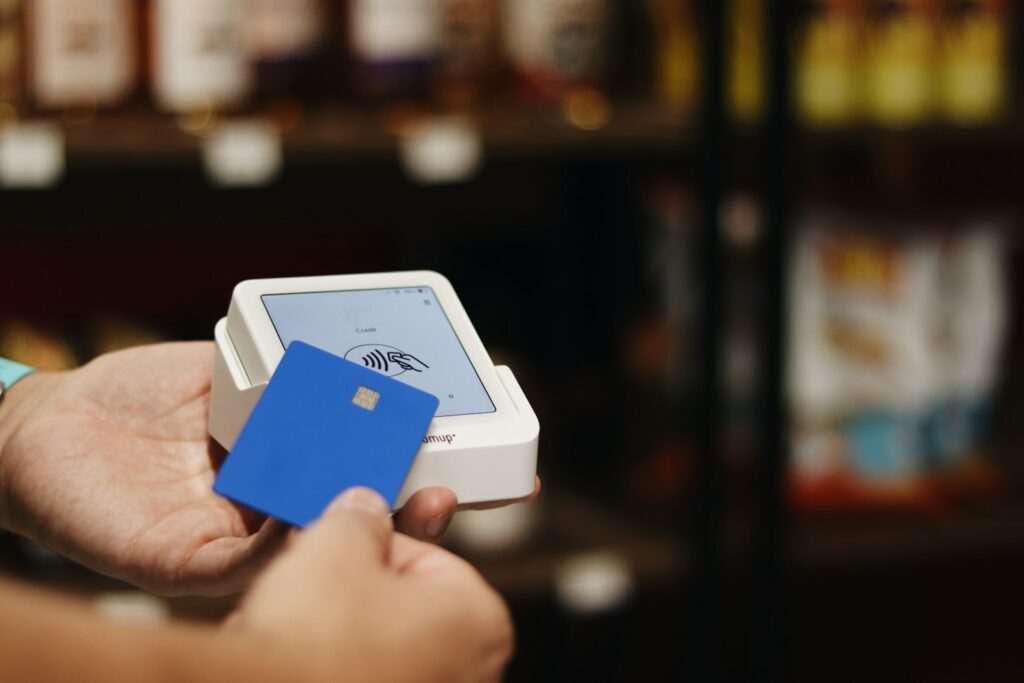
So the number in your bank is a net figure made up of many smaller ones. To reconcile it, you need to know exactly which payments, refunds and fees went into it. That information exists, but it lives inside Stripe or GoCardless, not in your bank feed.
What is actually inside a payout
A single payout can contain several kinds of transaction, and each one belongs in a different place in your accounts:
- Customer payments: the gross amounts customers paid, each of which should clear an invoice.
- Refunds: money you returned, which reduces the payout and should be recorded against the original sale.
- Disputes and chargebacks: money taken back because a customer challenged a card payment or a Direct Debit.
- Failed payments: Direct Debits that were collected and then failed, which GoCardless lists separately.
- Fees: the provider’s charges, which are a business expense rather than a reduction in your sales.
Here is an illustrative example, with made-up figures. A dog groomer takes four card payments on a Monday: £45.00, £60.00, £120.00 and £35.00, a total of £260.00. She also refunded a £45.00 booking the week before, and the provider’s fees on the batch come to £4.70. On Thursday, £210.30 lands in her bank account. That is the correct amount, but it matches nothing she has invoiced, and if she records it as a single sale of £210.30, her accounts understate both her income and her costs.
The clearing account: the idea behind good payment reconciliation
Accountants solve this with a clearing account, sometimes called a holding account. In your accounts software, you set up an extra account that represents the money your payment provider is holding for you. Then each transaction is recorded in full, in the place it belongs:
- Each customer payment is recorded at its gross amount against the invoice it pays, with the money going into the clearing account.
- Fees are recorded as an expense, coming out of the clearing account.
- Refunds and chargebacks are recorded against the original sale, also coming out of the clearing account.
- When the payout reaches your bank, it is recorded as a transfer from the clearing account to your current account.
Done properly, the balance on the clearing account always equals the money the provider is holding and has not yet paid you. If it drifts away from that figure, something has been missed. This is how GoCardless’s own integration works: the GoCardless explanation of reconciliation in Xero describes a “Direct Debit” clearing account, with fees posted to a fee account (Bank Fees by default) and the net payout transferred to your current account.
Three ways to handle payment reconciliation
1. Do it by hand from the provider’s reports
Every provider lets you download a report for each payout. Stripe’s payout reconciliation report lists the transactions that make up each automatic payout, including charges, refunds, disputes and fees. GoCardless offers similar detail for each of its payouts. With a report open, someone can work through each payout and record the payments, fees and refunds in the accounts.
For a business with a handful of online payments a week, this is perfectly workable. It becomes a problem when volumes grow, when the person who knows how to do it is off sick, or when the reconciliation slips for a month and has to be done all at once.

2. Use the built-in connectors
The mainstream accounts packages and payment providers offer connections that do much of this automatically. Xero has a direct feed for Stripe that brings Stripe transactions into Xero, and you can set it up even if you do not use Stripe as a payment service on your Xero invoices. Transactions arrive in line with your Stripe payout schedule. GoCardless for Xero records each payment against its invoice, posts the fees and transfers the net payout, which then matches the receipt in your bank feed.
Built-in connectors are the right first step for most small businesses. They cost little or nothing beyond your existing subscriptions. The catch is that they work best when the invoice is raised in your accounts package. If invoices start life in a booking system, a CRM or an online shop, the connector may know about the payment but not which invoice it belongs to, and someone still has to make that link by hand. Even GoCardless notes that the transfer out of its clearing account has to be marked as reconciled manually.
3. Build a custom integration
Both providers have well-documented APIs. Stripe lets you attach your own references, such as an invoice or booking number, to each payment as metadata, and its itemised reports can include that metadata. GoCardless provides a list of the items in each payout, covering payments paid out, failed payments, chargebacks, refunds and fees, and can notify your system the moment a payout is sent.
A custom integration uses that information to do exactly what an experienced bookkeeper would: read each payout, find the invoice for every payment wherever it was raised, record the fees and refunds, and post the transfer. Anything it cannot match is flagged for a person to look at. If APIs are new to you, our guide to API integrations and how business tools talk to each other covers the basics.
When a custom integration is worth it
Most businesses never need more than the built-in connectors, and we would rather say so than sell you something you do not need. A custom approach tends to pay for itself when one or more of these is true:
- Invoices or bookings are created outside your accounts package, for example in a booking app, job management system or CRM.
- You take deposits and balances separately, so one invoice is paid in two or more parts, sometimes through different methods. Our guide to taking deposits and payments online covers the options.
- You use both Stripe and GoCardless, or several Stripe accounts, and want them handled the same way.
- Refunds, failed payments or chargebacks are frequent enough that matching them takes real time.
- Your bookkeeper spends hours each month on payment reconciliation that follows the same rules every time.
As a rough guide, a focused integration of this kind is often quoted in the low thousands of pounds in the UK, with more complex set-ups costing more. What drives the price is the number of systems involved, how cleanly your existing invoices and customer records are kept, and how many exceptions the rules need to handle. Ask for a fixed scope with a list of the cases it will and will not handle.
Stripe and GoCardless: the differences that matter
The clearing account approach works for both providers, but there are a few differences worth knowing before you set anything up.
Stripe is mostly used for card payments, where the money is confirmed at the point of sale. The complications are disputes, which can arrive weeks later, and payout settings. Stripe’s payout reconciliation report only covers automatic payouts, and Stripe says plainly that instant payouts are yours to reconcile. For most small businesses, an automatic schedule is far easier to keep tidy.
GoCardless collects Direct Debits, where a payment can be collected and later fail or be charged back. Its payout items show these as separate lines, so a well-built connection can reverse the payment against the invoice and flag the customer for follow-up. Because GoCardless only makes a payout when your balance is positive, a run of failures or refunds can occasionally hold a payout back, which is another reason to watch the clearing account balance.
Getting your set-up right
Whichever route you take, a few decisions at the start make payment reconciliation much smoother:
- Put a reference on every payment. An invoice or booking number attached to each payment is the single most useful thing for matching it automatically.
- Agree the accounts with your bookkeeper. Decide which clearing account, fee account and sales accounts to use, and how fees and the VAT on them should be treated.
- Use one route into your accounts per provider. If a connector creates transactions and someone also adds them from the bank feed, you will get duplicates.
- Pick a payout schedule and stick to it. Daily or weekly automatic payouts are easiest to follow.
- Clean up customer records first. The same customer recorded twice under slightly different names is a common reason automatic matching fails. Our article on connecting Xero or QuickBooks to your website and CRM covers how to keep customer data consistent.

Common payment reconciliation mistakes
These are the problems we see most often when a business asks us to look at its accounts and payment systems:
- Recording the payout as the sale. This understates income and hides fees. It can also make your VAT return wrong, because the sales figure is wrong.
- Matching a payout to one invoice. It may make the bank line disappear, but it leaves other invoices showing as unpaid and the customer ledger in a mess.
- Ignoring the month-end gap. A payment taken on the 30th may not reach your bank until the following month. The clearing account handles this cleanly; skipping it does not.
- Forgetting refunds and chargebacks. These need recording against the original sale, not quietly netted off.
- Letting it build up. Payment reconciliation done weekly is quick. Done once a quarter, it is a forensic exercise.
A real example of payments built in from the start
Payment reconciliation is easiest when the system that takes the money is designed with it in mind. We built CoachSync, a booking app for coaches, trainers, tutors and other session-based professionals, where clients book through a shareable page, pay upfront through Stripe, and the money is paid out to the coach. Confirmation and reminder emails go out automatically. Because every payment is tied to a booking from the moment it is made, there is never any doubt about what a payment was for.
The same principle applies to any business: the earlier a payment is linked to the thing it pays for, the less work there is later.
Payment reconciliation: common questions
Should I record the payout or the individual payments?
Record the individual payments, fees and refunds, and treat the payout as a transfer from your clearing account to your bank. Recording only the payout is quicker, but it leaves your sales and costs understated and makes problems much harder to spot.
Do I need a separate account in Xero for Stripe or GoCardless?
In practice, yes. The Stripe feed in Xero appears as its own account, and GoCardless for Xero uses a clearing account. Your bookkeeper or accountant can confirm the right set-up for your chart of accounts.
Does the same approach work in QuickBooks or Sage?
The clearing account principle is the same in any double-entry accounts package. What differs is which connectors are available and how much they do automatically, so check what your software and payment provider offer before deciding on anything custom.
Can payment reconciliation be fully automatic?
Most of it can. A well-built integration will match the large majority of payments without anyone touching them. There will always be exceptions, such as a customer paying the wrong amount or a payment with no reference, and those should be flagged for a person rather than guessed.
How often should I reconcile?
Weekly is a good minimum for most small businesses, and daily if you take a lot of payments. Little and often keeps the exceptions small and fresh in everyone’s memory.
The bottom line
Stripe and GoCardless make it easy to get paid, but they pay you in batches, net of fees and refunds. A clearing account, consistent payment references and the right connector turn payment reconciliation from a monthly chore into a quick weekly check. Where invoices start life outside your accounts package, a custom integration can close the remaining gap.
If your bookkeeper is spending hours matching payouts, or you are not sure your figures add up, tell us how you take payments or call us on +441482 212499. We will tell you honestly whether the built-in connectors will do the job or whether something custom is worth it.